How to use Request Forms
How to use Request Forms
How do Request Forms work?
Request Forms exist to gather basic information about the client’s wishes regarding the commission. Artist composes a Request Form, it gets attached to a Service, and the client fills it out before submitting their request. You can make as many Request Forms as you need — it depends on how you want to organize your work. Don’t worry about making your form perfect; it’s better to focus on the main details of the order, and you can always discuss anything uncertain in the Chat.
Creating a Request Form
To start a new Request Form, go to the Artist Space and select the Request Forms tab.

Request Forms have several types of blocks, each of which can be used to gather different types of information; there’s Text, Choices, Date, Upload, and Quantity blocks. You can use blocks of any type as many times as you need.
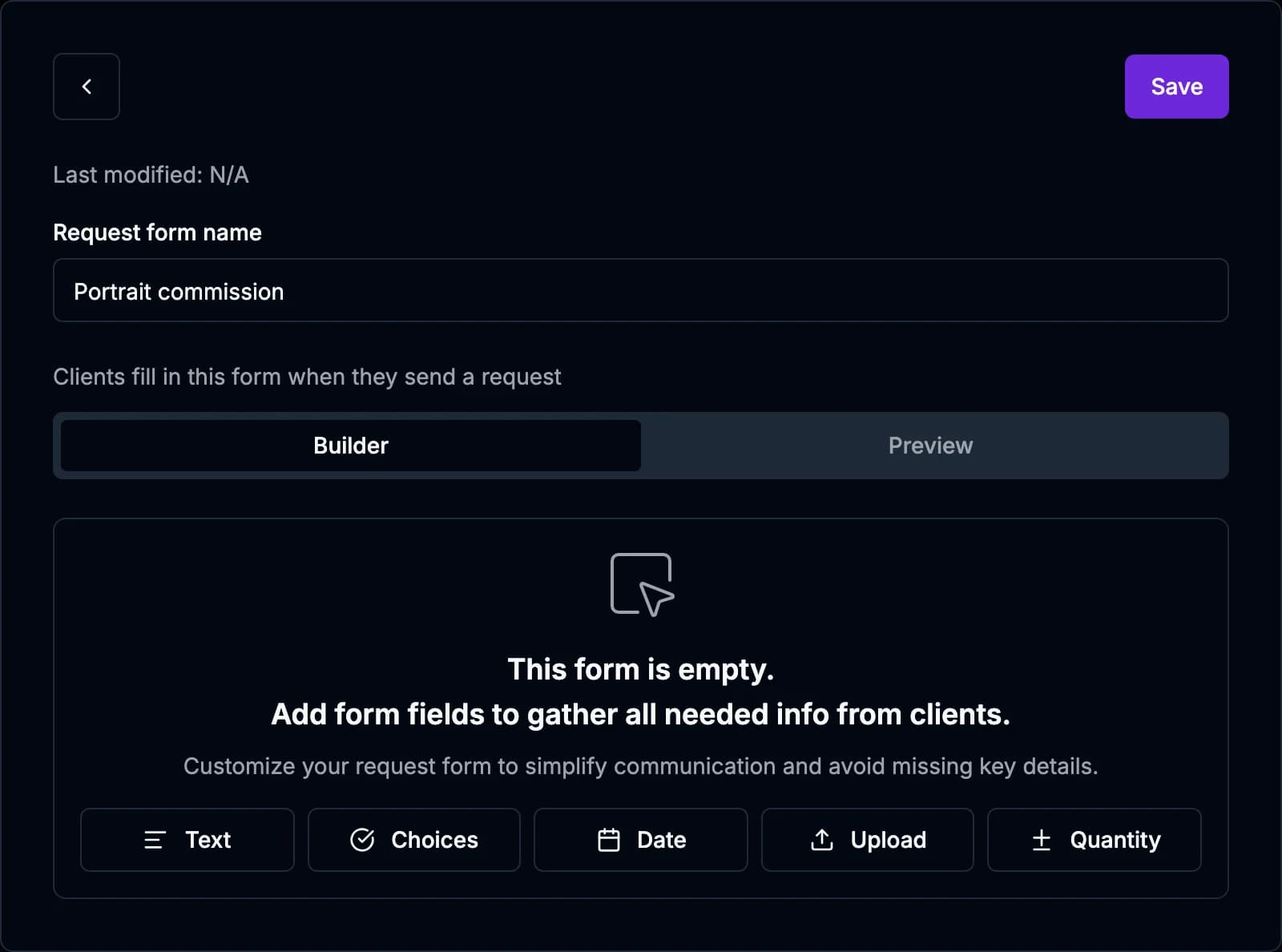
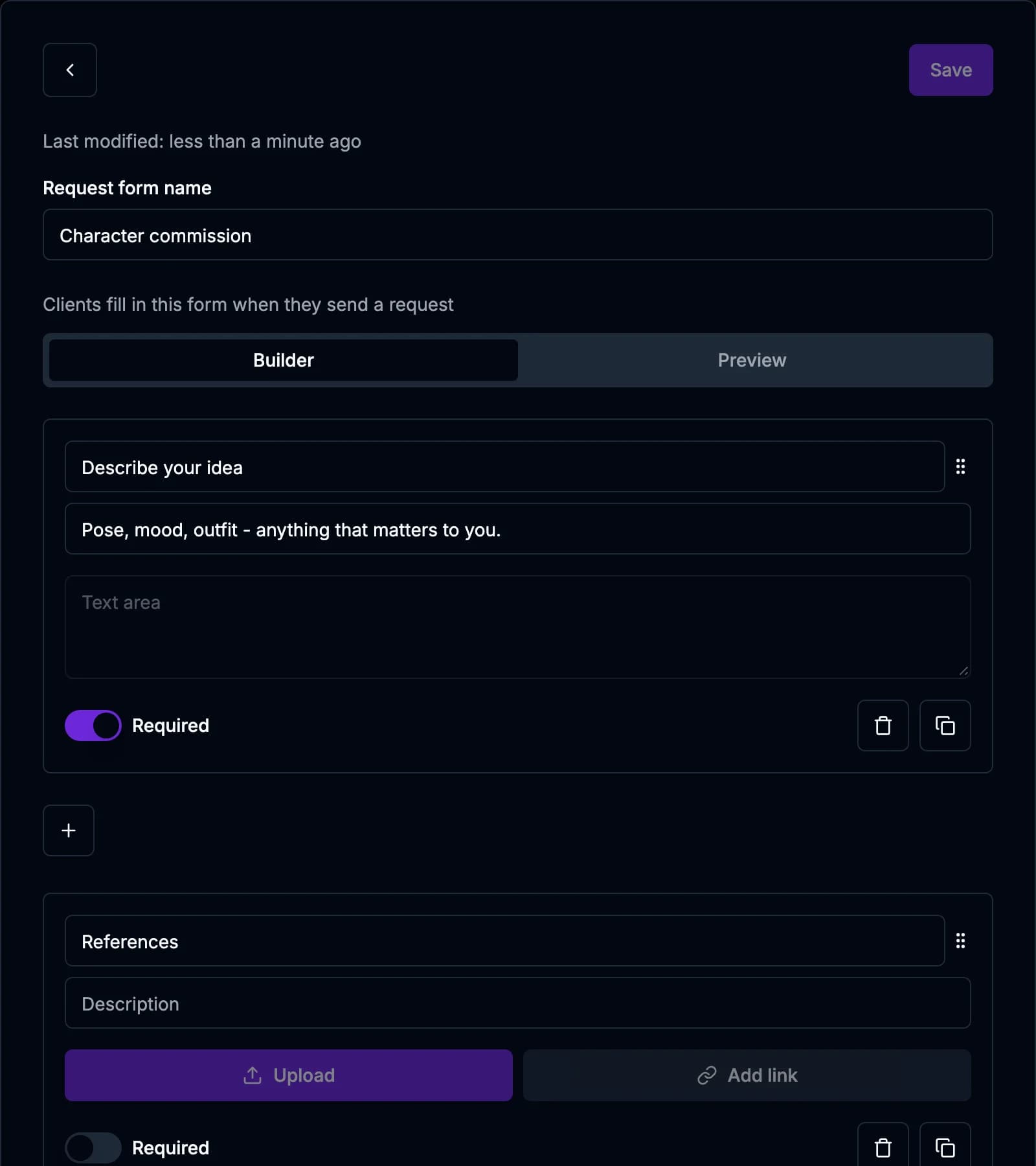
When creating a form, try to think of the key factors that influence your work. You may ask the client to describe the general idea of their order in the Text block, upload visual references in the Upload block, and specify the date they need the work done in the Date block. The Choices block may be used to present your Addons for the client to select, while the Quantity block may be used to specify how many artworks the client needs. Those are our suggestions, but you can customize your Request Form however you deem best!
There’s an option to mark certain boxes as Required, meaning that they are mandatory for the client to fill out. You can assign this marking as you wish, but be careful with what to put it on — some things are meant to be optional, like Addons, latest completion date, etc. Try to make your form as clear as possible!
Do I need to make a new Request Form for every Service?
No! Whether you need just one universal Request Form for all your Services, or a form that’s specifically tailored to every Service, is up to you! If you only need small alterations, you can always copy-and-paste an existing form and adjust it to your liking.

Important!
When you copy and paste an existing form, you essentially create a duplicate of the same form template, which is not connected to the “original” form. This means that you can make any changes to the duplicate without the “original” being affected. However, this does not work with Terms of Service policies! If you apply an existing policy to a Service, the changes you make in it will be visible in every place this specific form is used.
For more details about how Terms of Service policies work, please consult this article.
Still have questions left? Contact us via email! socials@ivyart.co